Search Sheet
Required Permissions
Setup Cycle Count
- ability to add, view, edit, delete and initiate Cycle Count Requests
- ability to generate and edit Cycle Count Sheets
View Cycle Count
- ability to view Cycle Count Requests and Sheets
Process Cycle Count
- ability to view Cycle Count Requests
- ability to view and edit Cycle Count Sheets
View Reports
- ability to print and export Cycle Count Sheet List Report
Search Sheet
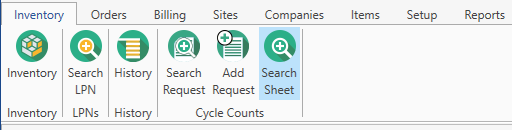
- Go to Inventory tab of the main menu.
- Select Cycle Counts -> Search Sheet menu item.
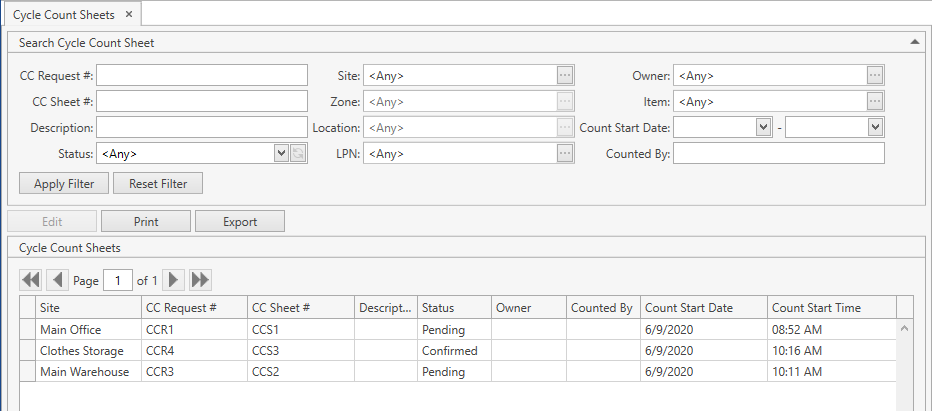
The following window displaying Cycle Count Sheets will show up:
- Specify the necessary search criteria in the following frame:
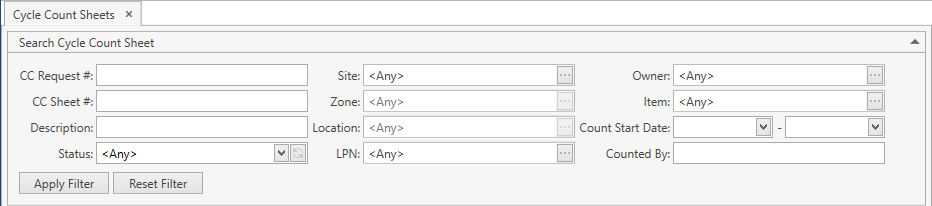
The following optional filters can be applied:
| Filter | Comment |
|---|---|
| CC Request # | |
| CC Sheet # | |
| Description | |
| Status | Drop-down list of the predefined system values: Pending, Confirmed. Refer to this section for more info on Cycle Count Sheet statuses. |
| Site | Drop-down list of active Sites that you have access to. The necessary Site can be searched by the ellipsis button [...] as well. CoreIMS automatically prepopulates the field if you have a specified Default Site (please refer to Users section). |
| Zone | Drop-down list of active Zones on the selected Site. Use the ellipsis button [...] to search for Zones. |
| Location | Drop-down list of active Locations on the selected Site. Use the ellipsis button [...] to search for Locations. |
| LPN | Drop-down list of LPNs. Use the ellipsis button [...] to search for LPNs. |
| Owner | Drop-down list of active Companies marked as Owner. The necessary Company can be searched by the ellipsis button [...] as well. Visible only if Ownership mode is set up as Item Level or Stock Level in System Settings. If your CoreIMS user has an assigned Owner (please refer to Users section), you will be able to search for Cycle Count Sheets only of this Owner or without owner. |
| Item | Drop-down list of active items. The necessary item can be searched by the ellipsis button [...] as well. Multiple Select is supported. |
| Count Start Date | From / To |
| Counted By |
CoreIMS allows you to do the following when searching:
1) search by the beginning or by any part of text fields;
2) collapse/expand the filter area.
- Once you specify all necessary filter criteria, click Enter or Apply Filter button.
The results that satisfy the search criteria will be loaded to Cycle Count Sheets frame:
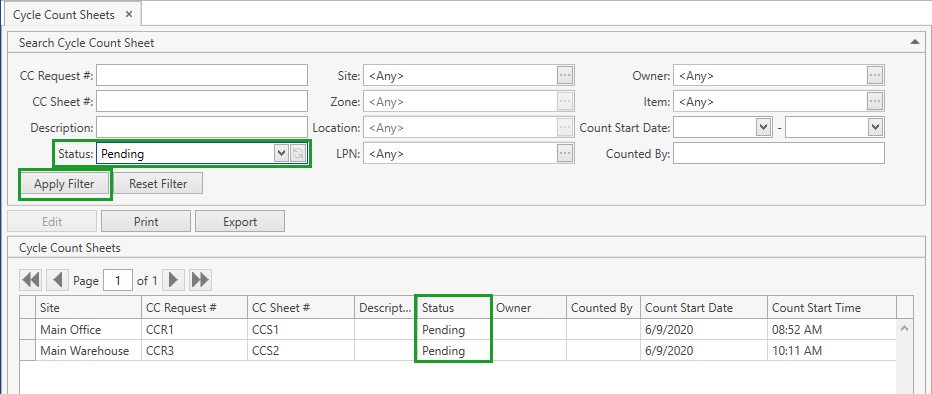
If needed, reset previously specified filter criteria by clicking Reset Filter button.
Use navigation buttons
 to switch the pages of the grid.
You can also customize the view of the grid and use Ctrl+F for searching.
View and Edit Sheet
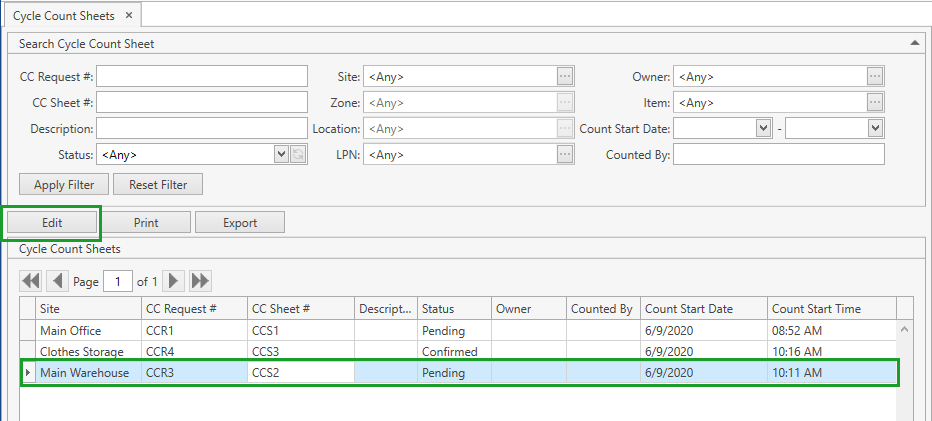
You can view and, if needed, edit a Cycle Count Sheet by clicking on it and then on Edit button or by simply double-clicking on the necessary sheet on the grid:
Edit Cycle Count Sheet window opens:
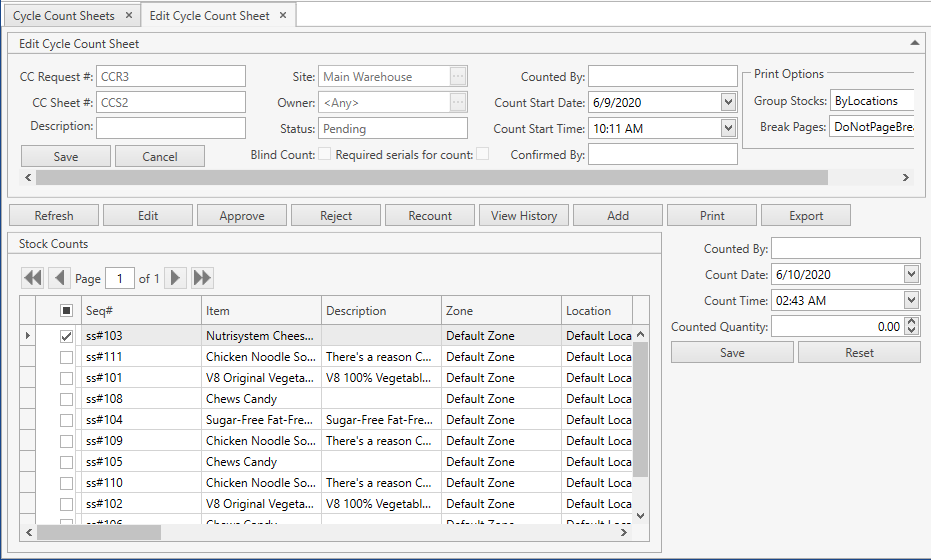
You can edit Pending Cycle Count Sheets; Confirmed Cycle Count Sheets can be only viewed.
Please refer to Cycle Count Sheet section to find out which operations are available for you from this screen.
Cycle Count Sheet List Report
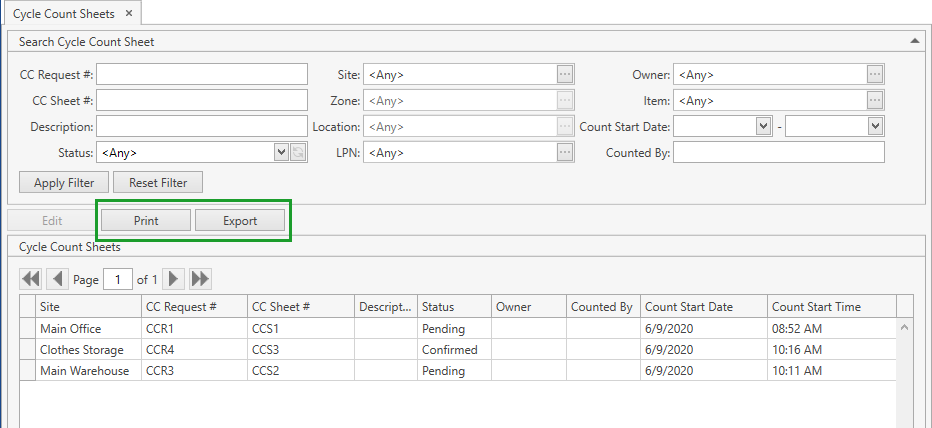
You can print or export Cycle Count Sheet List report displaying the data from the grid on Cycle Count Sheets screen. To this end use Print or Export button accordingly.